You can change your settings on SeatGeek.com to view and purchase tickets in Canadian Dollars (CAD).
You can also update your language preference to French-Canadian when this option is available.
Note:
Purchasing in CAD is not currently available for all events or in the SeatGeek app. CAD checkout is currently available only on SeatGeek.com for eligible events. We are working to expand these features but do not currently have a shareable timeline.
How to change your currency to CAD
You can update your currency and language settings by selecting the flag and currency icon on SeatGeek.com.
After you apply your preferences, eligible prices will display in the currency you selected.
- Open SeatGeek.com from your mobile browser.
- Scroll to the bottom of the page until you see the flag icon and currently displayed currency.
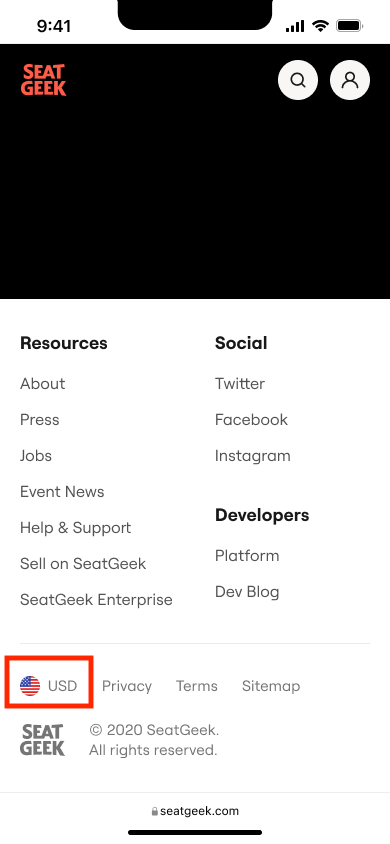
- Tap the flag and currency icon to open the currency and language preferences menu.
- Select CAD as your currency.
- If available, select your preferred language.
- Tap Apply to save your preferences.
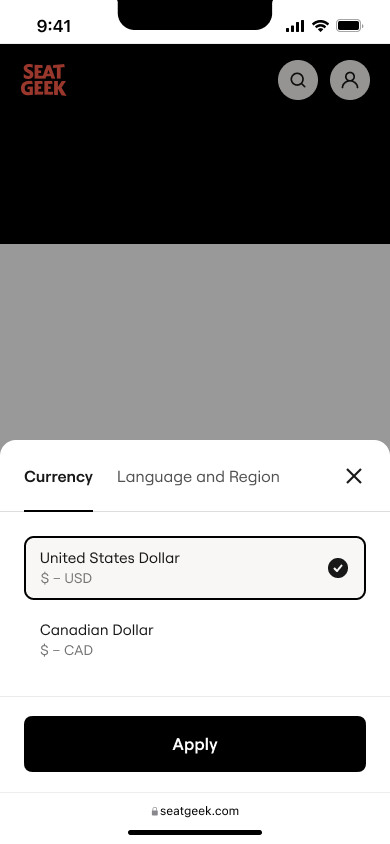
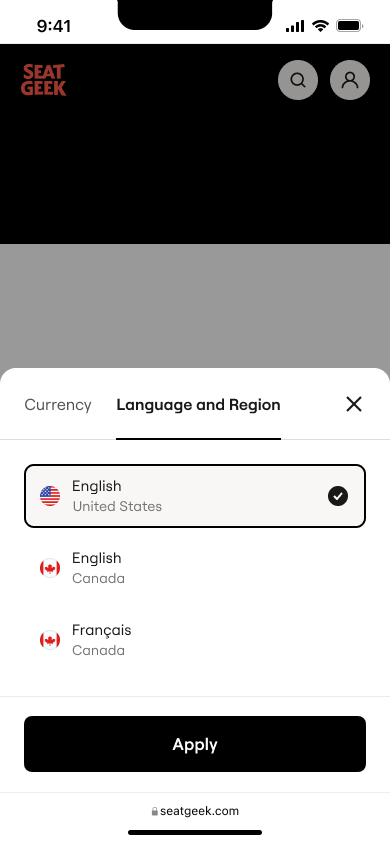
You can return to this menu at any time to change or reset your currency and language preferences.
- Go to SeatGeek.com from your desktop browser.
- Look for the flag icon and currently displayed currency at the top or bottom of the page.
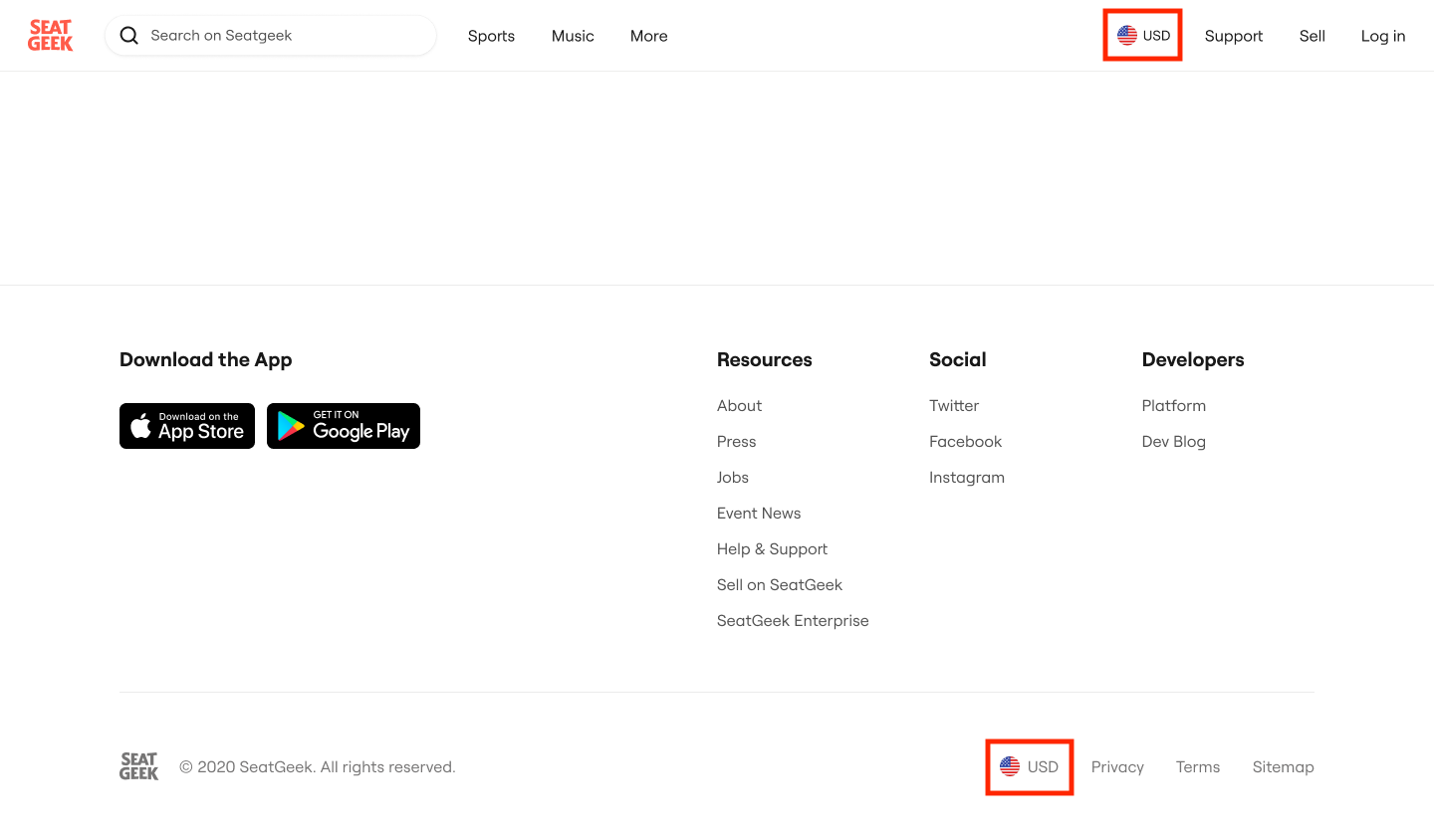
- Click the flag and currency icon to open the currency and language preferences menu.
- Select CAD as your currency.
- If available, select your preferred language.
- Click Apply to save your preferences.
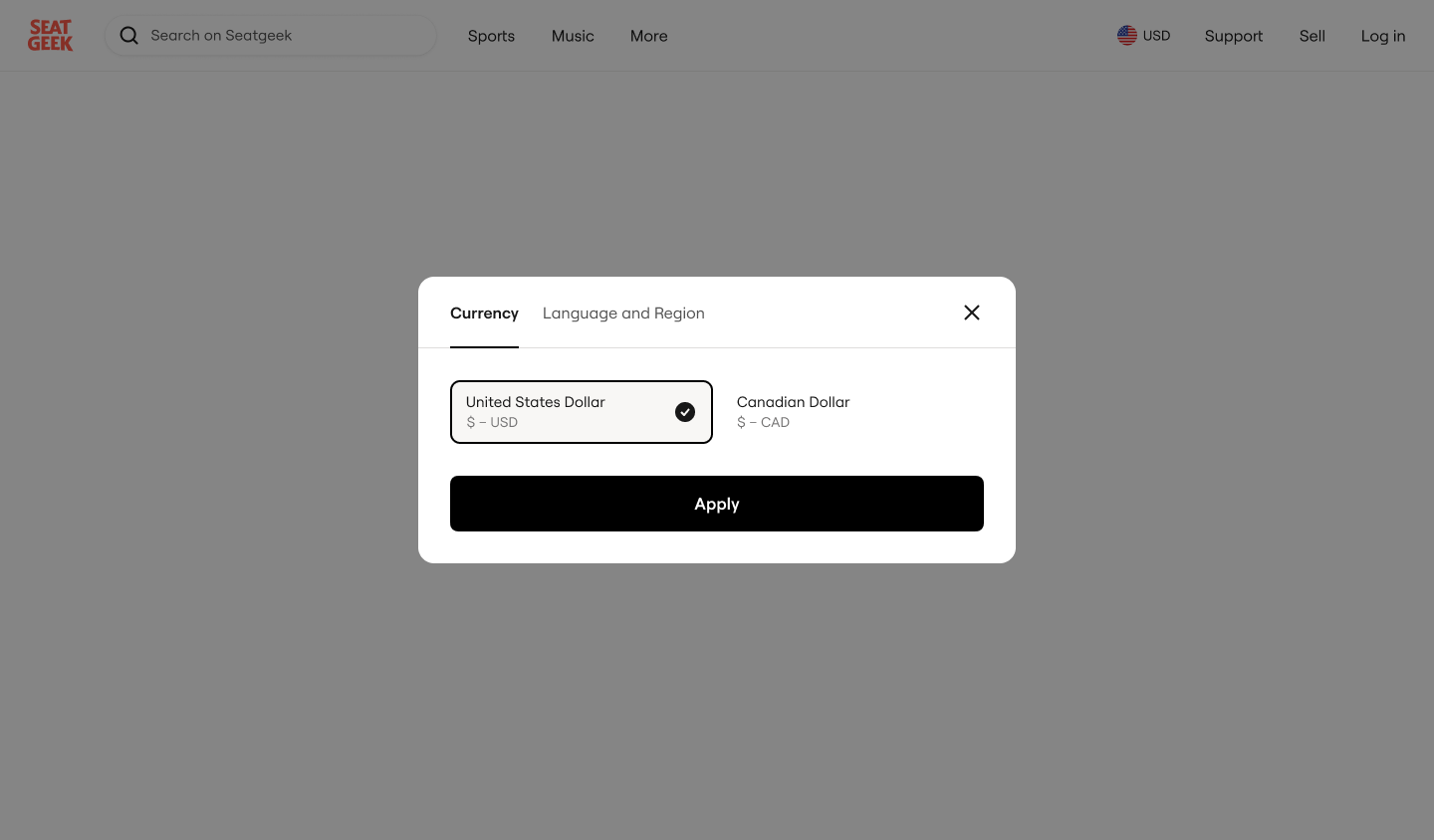
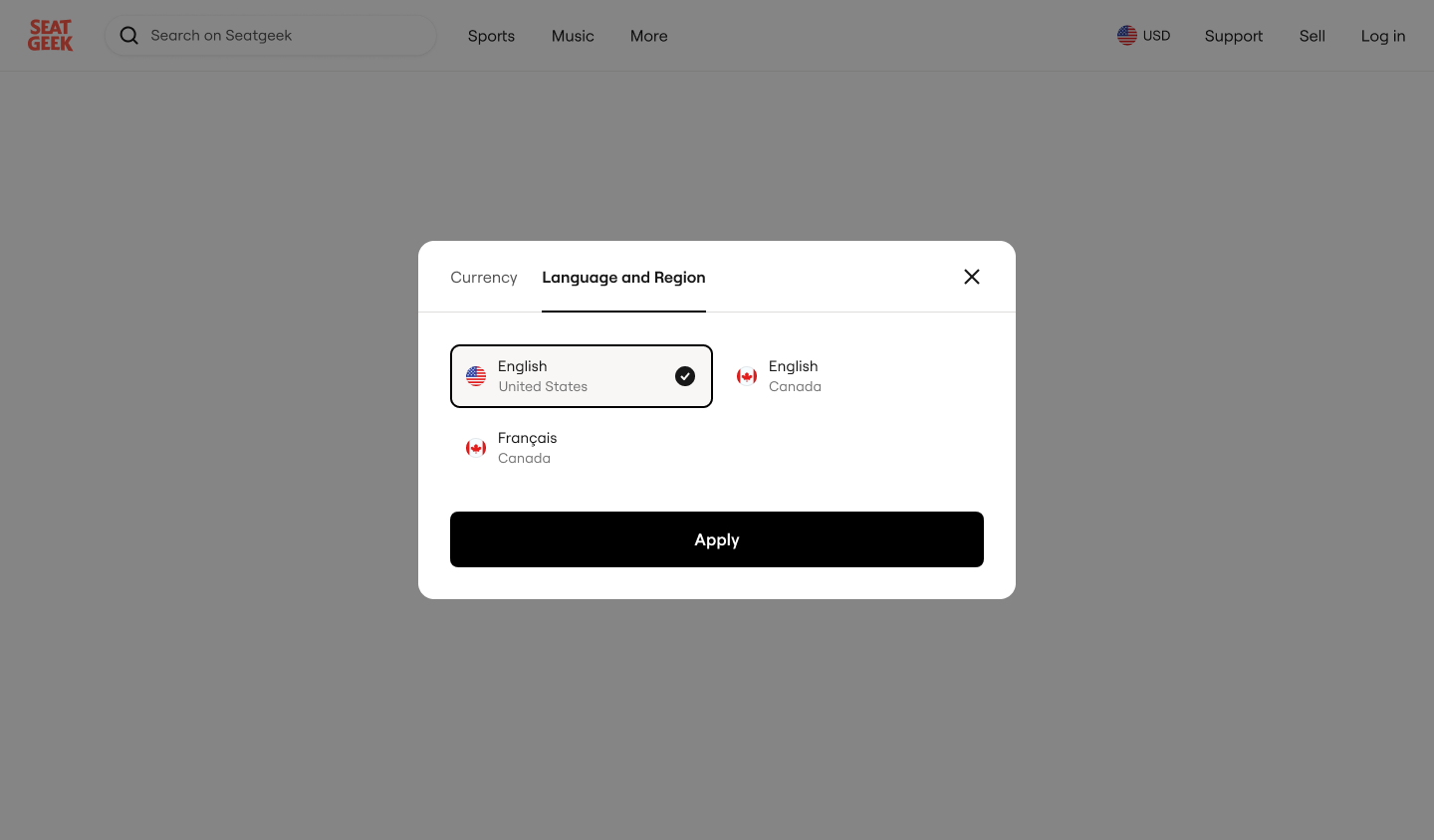
You can return to this menu at any time to change or reset your currency and language preferences.
Why don’t I see CAD as an option?
CAD checkout may not be available for every event, ticket type, location, or platform.
If you do not see CAD as an available option, the event may not currently support purchasing in Canadian Dollars.
Can I use CAD in the SeatGeek app?
Not at this time. Purchasing in CAD is not currently available in the SeatGeek app.
To buy eligible tickets in Canadian Dollars, use SeatGeek.com from a mobile or desktop browser.
Español