Yes! If you have a credit from your team on your SeatGeek account, you can use it to cover all or part of the cost for purchasing single game tickets on SeatGeek as long as the tickets are being listed by your team's the box office.
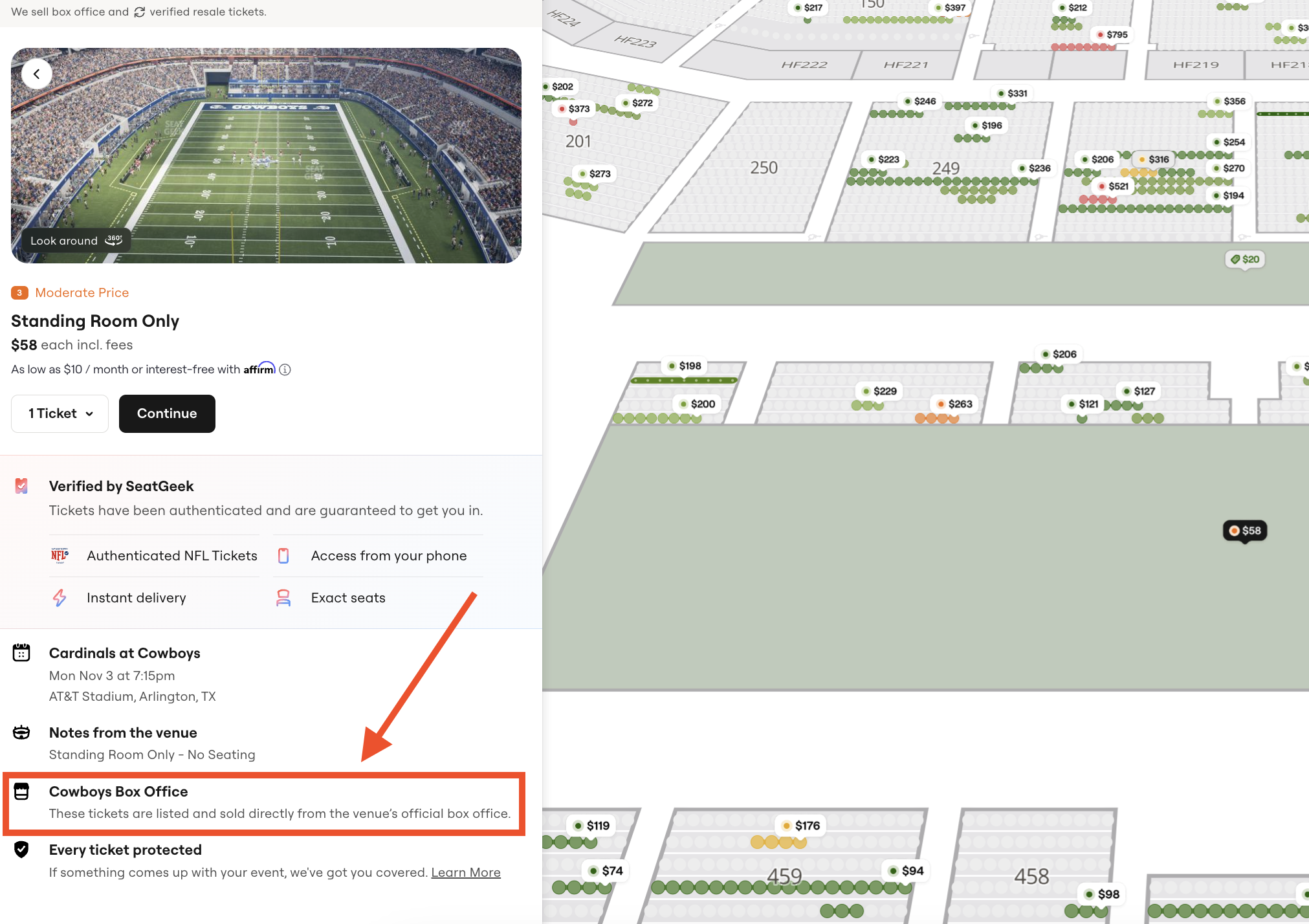
Eligible tickets will not have a verified resale symbol and will state that they are being sold from the box office as shown in the image below:
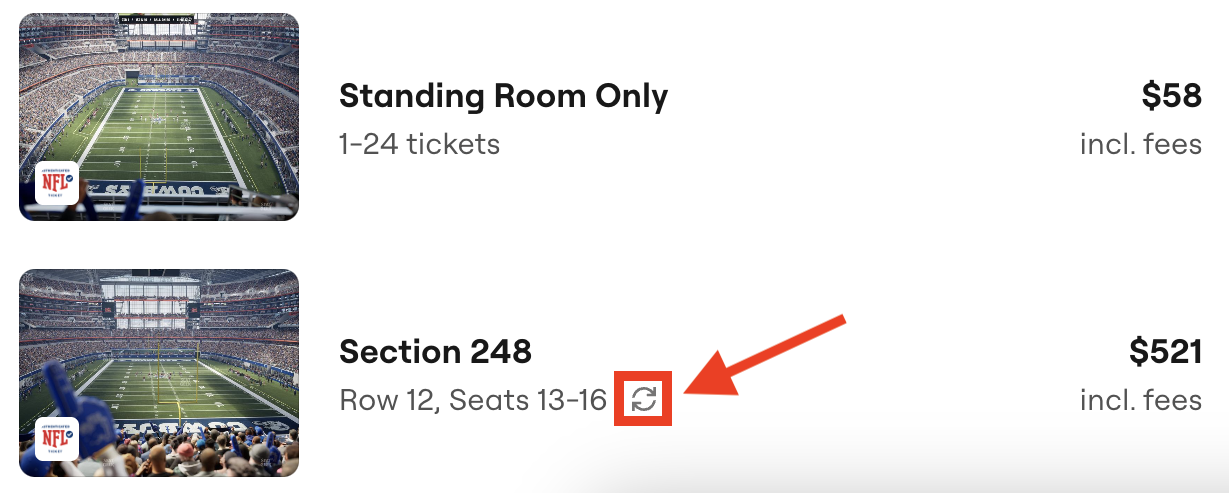
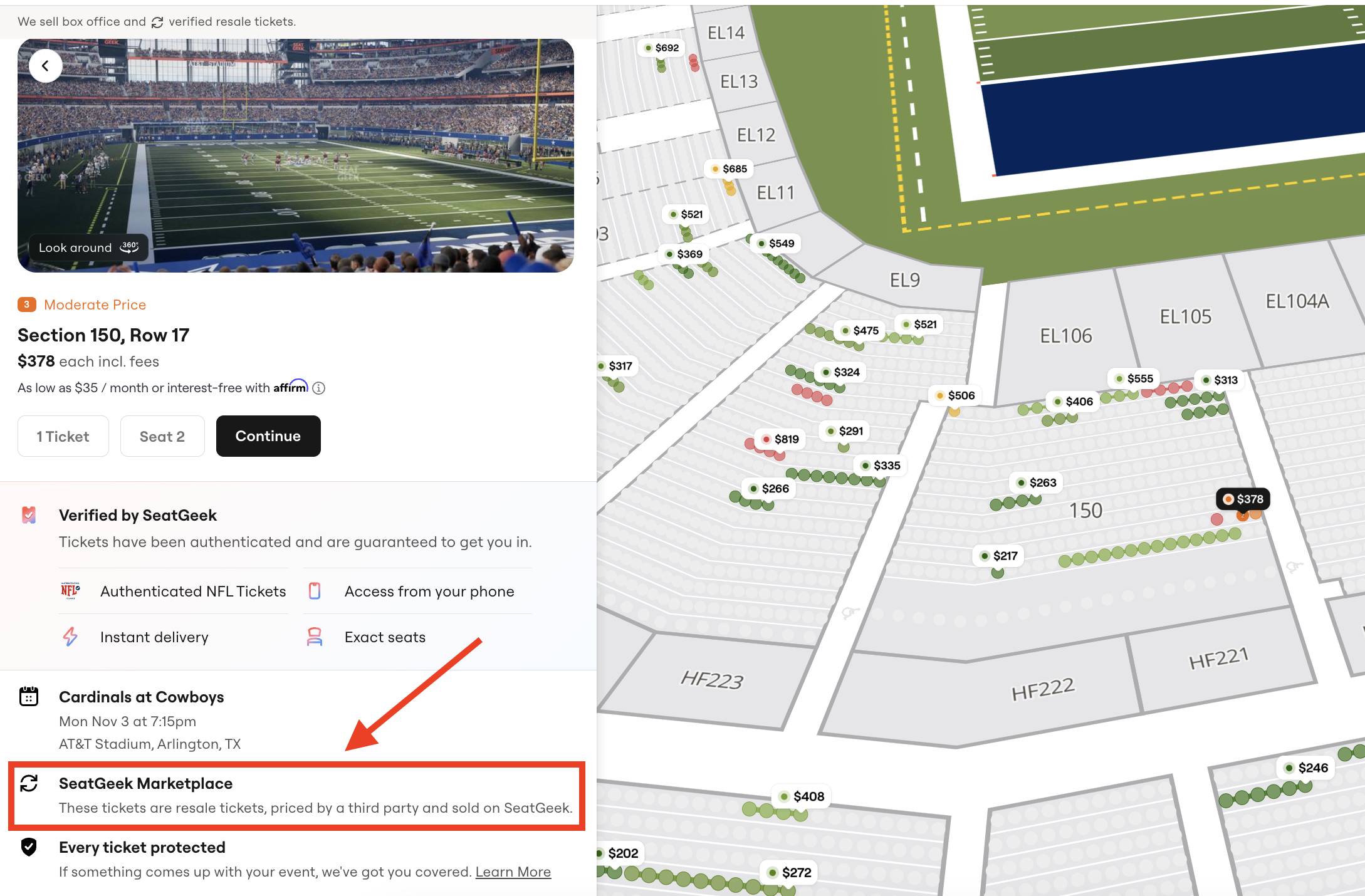
Listings marked with the verified resale symbol and which state they are SeatGeek Marketplace resale tickets (as seen in the images below) are not eligible:
How do I apply my team account credit?
First, go to SeatGeek.com, pick your tickets, and click Continue to Checkout.
On the checkout page, if you have account credit, click Use Account Credit.
Enter how much credit you want to use and click Update.
Review the total with the credit applied, then finish your purchase.
Your confirmation email will confirm how much of your credit you used.
Note:
The option to apply an account credit toward single-event purchases is not currently supported on the SeatGeek app; however, it is supported on SeatGeek's desktop website and mobile website, accessed through a web browser such as Chrome or Safari.