Smart Pricing automatically adjusts your ticket price based on real-time market demand to help your tickets sell.
When Smart Pricing is turned on, SeatGeek uses data like recent sales, event demand, and available inventory to update your listing price over time—so you don’t have to manually adjust it.
Smart Pricing may be automatically selected
You stay in control: you can set a minimum price, change your settings, or if you’ve used Smart Pricing before, we’ll automatically select it for your next listing - making it faster and easier to list your tickets. You can always turn Smart Pricing off before listing.
Note: Smart Pricing helps optimize your listing, but it does not guarantee that your tickets will sell.
How do I use Smart Pricing?
Smart Pricing is available on desktop, mobile web, iOS, and Android.
- Go to your Tickets
- Select the tickets you want to sell
- Turn on the Smart Pricing toggle

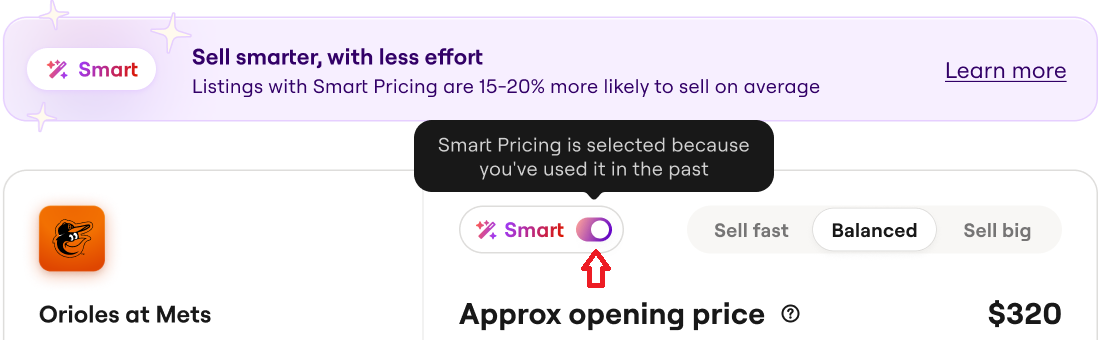
- Choose your pricing goal:
-
Sell Fast (prioritize speed)
-
Balanced (balance price and speed)
-
Sell Big (prioritize higher price)
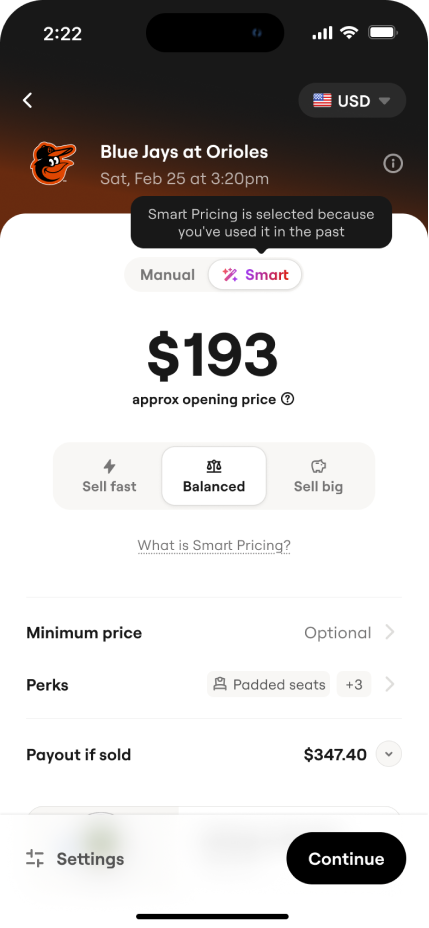
- Review and list your tickets
Smart Pricing will set your initial price within a few minutes and continue updating it automatically.
How does Smart Pricing work?
Smart Pricing uses a combination of historical sales data, current listings, and real-time demand to adjust your ticket price so that it best matches your pricing goal.
Your listing may be updated as often as every few minutes to reflect market changes.
What is a minimum price?
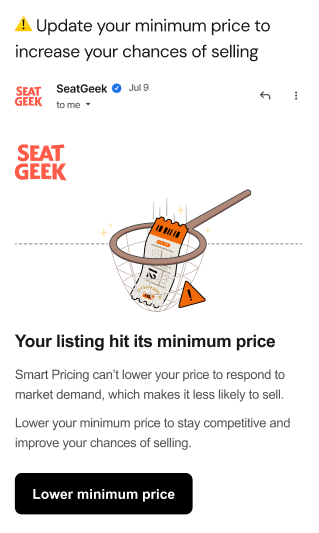
A minimum price sets the lowest amount your tickets can be sold for. Smart Pricing will not price your tickets below this amount. You can update or remove your minimum price at any time before your tickets sell.
Note: Some events may have pricing rules that limit how high or low your minimum price can be.
When should I list my tickets?
Listing your tickets earlier generally gives you the best chance of selling at a higher price.
As the event gets closer, prices often drop as supply increases.
How long does it take to set a price?
Your initial price is usually set within 5–10 minutes after listing.
Does Smart Pricing cost extra?
No. There are no additional fees to use Smart Pricing at this time. Standard selling fees still apply.
Can I turn Smart Pricing off?
Yes. You can turn Smart Pricing off at any time before your tickets sell. When you turn it off, you can keep the last price set or choose your own price.
Why didn’t my tickets sell?
Ticket sales depend on demand, timing, and pricing. Smart Pricing helps optimize your listing, but it cannot guarantee a sale.